

Webo98 Casino App Guide for Safe Mobile Gaming Access
The Webo98 Casino App guide on this page focuses on mobile access, installation basics, and the checks that help you avoid risky downloads. Many players want a faster route to the lobby on their phone, but they also want to understand what they are installing before they do it. That is why this page looks at the Webo98 App Download process in a practical way. It also explains how to keep a Webo98 Mobile session more secure from the first login onward.
If you are comparing the Webo98 App with a browser-based experience, the main difference is convenience rather than a completely different game library. A well-planned Webo98 Download should feel smooth, load quickly, and keep important account steps easy to find. This guide walks through Android installation, feature checks, and safe play habits so you know what to expect. It is written for readers who want clear information rather than hype.
How to Download the Webo98 App on Mobile Devices
Most mobile users notice that the first challenge is not gameplay, but finding a clean installation path on the right device. A cautious Webo98 App Download starts with checking whether your phone has enough storage, a stable connection, and the correct browser permissions. On Android, the process can involve an APK file, while other devices may rely on mobile web access instead. Understanding those differences helps the Webo98 Casino App feel simpler before you even open it.
What should I check before starting the download?
Start with the basics: storage space, battery level, operating system version, and a connection that will not drop halfway through the file. A smooth Webo98 App setup usually depends on those simple checks more than on anything technical. If your phone is already full or updating in the background, the installation can stall without telling you why. That is why a short preparation step saves time later.
After that, make sure the file comes from the intended source and not from a mirrored page or a random ad. The safer Webo98 Download habit is to confirm the file name, the extension, and the permissions the installer is asking for. If something looks unexpected, stop and recheck before tapping through. That approach protects both the device and the Webo98 Mobile account you plan to use.
How do I move from a browser visit to an installed app?
Some users begin with the mobile browser because it lets them preview the interface before committing to a full install. From there, the Webo98 Casino App path may lead to a home-screen shortcut or a direct installer, depending on the device and the file format. That keeps the transition simple if you only want faster access rather than a complete software setup. It is also useful when you want to compare the browser version with the app version side by side.
Once the app is in place, test the login screen, the lobby, and one game page before you rely on it for regular sessions. The Webo98 Mobile experience should feel consistent, with clear buttons and no odd redirects. If the app opens but behaves strangely, the issue may be related to permissions, cache, or an incomplete install. A careful first launch is often the easiest way to spot a problem early.
Webo98 Apk Installation Steps for Android Users Today
Android devices often need a manual install flow, which is why the Webo98 Apk file matters so much here. Instead of a store-based tap and install, the process can require you to allow an installer, review permissions, and finish setup step by step. That does not have to be difficult, but it does reward patience and careful file checks. A clean Webo98 App Download on Android should feel deliberate rather than rushed.
How do I enable unknown sources without lowering security?
On Android, the safest approach is to allow installs only for the browser or file manager you are actively using, and only for as long as the install needs. That is a better habit than changing broad system settings for every app you touch, including the Webo98 Apk file. Once the installation is complete, you can usually return those permissions to a tighter setting. Small permission choices make a big difference when you want a cleaner setup.
Avoid pop-ups that try to redirect you to different installers, because those are not part of a careful Webo98 App setup. Use the device settings menu rather than any in-page prompt that looks generic or rushed. If your phone offers a separate permission screen for the browser and the file manager, review each one before confirming. That keeps the install focused on the exact file you intended to open.
What should I do if the APK will not install?
If the file refuses to open, the first things to check are storage, Android version compatibility, and whether the download finished properly. A broken Webo98 Download file may look complete but fail when the installer tries to read it. Try deleting the partial file and downloading it again only once you know the connection is stable. Repeating the same bad file only adds confusion.
You can also clear the installer cache or restart the phone if the installation prompt freezes without a clear error message. The Webo98 Casino App should not need unusual workarounds, so a persistent failure often points to a corrupted file or an unsupported device. If the phone is very old, the issue may be hardware or software compatibility rather than the APK itself. In that case, a browser-based option may be the more practical route.
A step-by-step Webo98 Apk install is easier when you treat it as a sequence instead of a single tap-and-go action. Before you start, keep your phone unlocked, your connection steady, and your storage checked. That helps the Webo98 App Download process stay predictable from the first file request to the final launch. If something interrupts the flow, pause and restart the relevant step instead of guessing.
- Check storage and Android version before opening the Webo98 Apk file.
- Download the package only from the intended source and confirm the file name matches the Webo98 App Download.
- Open Settings and allow installs from the browser or file manager you trust for this Webo98 App.
- Run the installer, review permission prompts, and wait for setup to finish.
- Open the app, sign in, and test a few pages to confirm the Webo98 Mobile experience works properly.
After the install finishes, review your permission settings again so the device is not left open longer than needed. The most reliable Webo98 Download habit is to keep the process tight, checked, and easy to repeat only when necessary. If the app launches cleanly and the login screen looks normal, you have probably completed the setup correctly. From there, you can use the app as a faster mobile entry point rather than a mystery file sitting on your phone.
Webo98 App Features for a Smooth Casino Experience
A good mobile interface is usually obvious within the first few seconds, because menus should feel easy to read and the lobby should load without delay. The Webo98 App is most useful when it keeps the focus on quick navigation, simple account access, and a layout that works well on a smaller screen. The Webo98 Mobile experience should make it easy to move between sections without pinching, zooming, or waiting for every page to redraw. That is the kind of practical polish players notice first.
Which mobile features matter most on a small screen?
The most useful features are often the least flashy, such as thumb-friendly buttons, readable fonts, and a lobby that does not bury the important options. A strong Webo98 Mobile design keeps the main actions close to the bottom of the screen, where your hand already rests. That makes the app feel more natural during short sessions and less tiring during longer ones. Small design decisions are what turn a mobile page into a usable interface.
Visual effects can be nice, but they should not slow down the core experience or crowd the screen. The Webo98 Casino App should balance atmosphere with clarity so that game tiles, balance information, and support options remain easy to spot. If a feature looks good but makes the phone lag, it is not helping the user experience. The best mobile layouts are the ones that stay calm and readable.
How can the app help when I switch between games?
Switching between games should not feel like starting over every time, so session continuity matters more than many people expect. A well-designed Webo98 App often keeps recent pages, back buttons, and lobby shortcuts visible enough that you can return to where you were without digging through menus. That is especially helpful if you like testing different titles in a single visit. Less menu hunting usually means less friction.
If the app keeps transitions light, the whole experience can stay usable even on a weaker connection. A thoughtful Webo98 Download should not overload the phone with unnecessary animation or background tasks that make page changes sluggish. Faster movement between sections also helps when you want to check a balance, adjust a setting, and return to play quickly. On mobile, efficiency is part of the feature set.
| Feature | What it does | Why it matters | Mobile note |
|---|---|---|---|
| Responsive layout | Fits menus and game tiles to smaller screens | Makes thumb navigation easier | Best on current Android devices and modern browsers |
| Fast loading | Reduces wait time for the lobby and game pages | Helps on weaker or inconsistent networks | Clear cache and avoid battery saver if pages lag |
| Session memory | Keeps recent pages and preferences ready | Makes it faster to return to favorite areas | Useful after reopening the **Webo98 App** |
| Security prompts | Shows login and permission checks clearly | Helps prevent rushed mistakes | Review prompts before accepting them on **Webo98 Mobile** |
Webo98 Download Options for Fast and Secure Access
Different devices often need different access routes, so the right Webo98 Download method depends on whether you want an APK, a browser shortcut, or a direct mobile session. The Webo98 App Download path can be fast, but speed should never come at the cost of checking the source and the file name first. Mobile users often move between browser access and installed access more than once before settling on the method they prefer. That makes it useful to understand the trade-offs before you commit.
When is the APK better than browser access?
An APK can be the better choice when you want a dedicated icon, a local install, and a more app-like routine every time you open the phone. The Webo98 Apk route is usually most useful for Android users who plan to return often and want fewer steps between opening the device and reaching the lobby. It can also feel smoother if your browser tends to clear tabs or reload pages too often. For repeat visitors, that convenience can matter a lot.
Browser access still has value, especially if you are short on storage or just want to inspect the interface before installing anything. The Webo98 Mobile web route can be enough for a quick session or a compatibility check on a device you do not use every day. If the site loads cleanly and the menus work well, you may decide that a full install is not necessary. The right choice depends on convenience, storage, and how often you plan to use it.
How can I keep the download process secure?
The safest routine is to confirm the file source, the extension, and the installer prompt before touching anything else. A careful Webo98 App download should not ask you to jump through multiple unrelated ads or accept unfamiliar permissions. If a page tries to hurry you into another download, that is a sign to stop and recheck the path. Security is often about refusing the wrong prompts rather than chasing the right one.
It also helps to keep your phone software current so the device can handle permissions and install checks properly. A clean Webo98 Casino App setup is easier when the operating system is updated and old installer files are removed after use. That way, you are not leaving extra packages on the device where they might confuse later installs. Simple maintenance makes the download process much less messy.
Mobile Login, Account Security, and Safe Play Tips
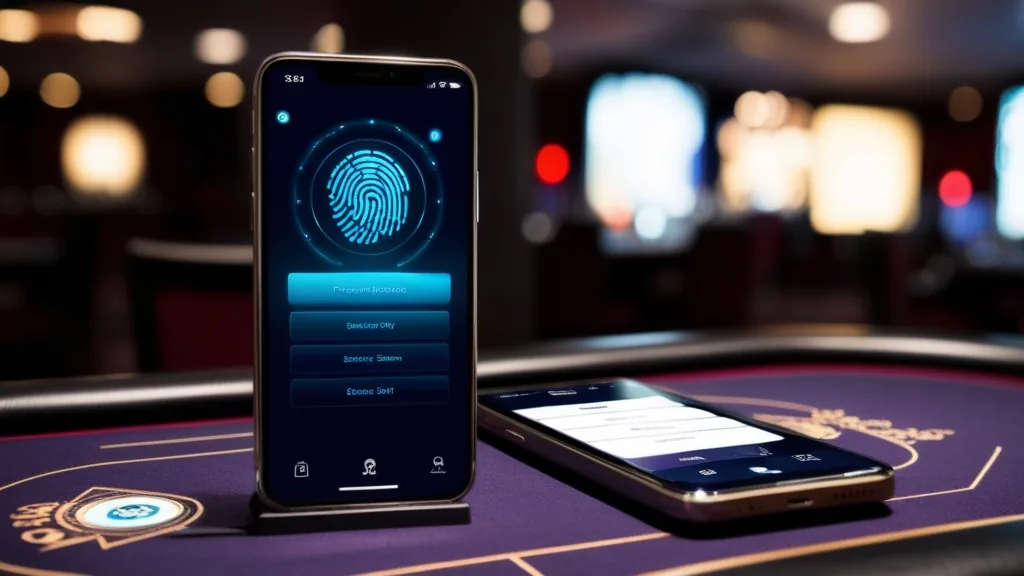
Mobile login is convenient because the phone is already in your hand, but that convenience only works well when the device itself is set up responsibly. The Webo98 Mobile experience is safer when the phone has a screen lock, the account uses a strong password, and the login routine is not being shared across devices. A secure Webo98 App session also depends on how carefully you handle saved logins, notifications, and network connections. The goal is to make access simple without making the account careless.
What makes mobile login safer on a personal device?
A personal device gives you more control, especially if you use a fingerprint, face unlock, or a strong PIN before the app opens. That extra layer helps the Webo98 App stay tied to one user instead of being open to anyone who picks up the phone. It is also useful to turn off automatic password sharing if the device offers it and you do not want credentials stored broadly. Security often starts with the phone lock rather than the app itself.
Keep the operating system current and review login notifications if the app or browser offers them. The Webo98 Mobile routine is safer when you can spot a new sign-in quickly and notice if something appears from a location or device you do not recognise. Updates also help close small security gaps that older software sometimes leaves behind. A personal phone can be a very secure place to log in if you keep the basics in order.
How do I reduce risks when playing on public Wi-Fi?
Public Wi-Fi is convenient, but it is not the best place for account work that involves passwords or payment details. The Webo98 Casino App should ideally be used on a private connection whenever possible, because open networks can expose more of your activity than you expect. If you must connect in a public place, keep the session short and avoid saving login details. A quick check is safer than a long, distracted session on a shared hotspot.
If you only need to look around, consider using the connection to browse the lobby and then log out completely before closing the phone. The Webo98 Download experience is more secure when you are disciplined about ending sessions, clearing saved tabs, and not leaving the account open in the background. That habit matters even more if other people can see or access the device. Small actions like logging out and clearing cached pages make public-network use much less risky.
A few practical habits go a long way when you want the Webo98 App to stay private on a phone you use every day. Mobile security is usually about consistency, not complicated settings, so keep the routine simple enough to repeat. These checks help the Webo98 Mobile experience stay convenient without becoming careless. If you use them every session, they quickly become second nature.
- Use a unique password and a phone lock before opening the Webo98 App.
- Avoid saving login details on shared devices when using Webo98 Mobile.
- Turn on two-factor authentication if available after a fresh Webo98 App Download.
- Log out after each session on public networks and clear saved sessions.
- Review recent logins and device permissions before any Webo98 Download update.
These habits are simple, but they reduce the chance that someone else can reach your account if the phone is lost or borrowed. A careful Webo98 Casino App routine is usually easier to keep than a long list of complicated settings. Once you know which permissions matter, the rest becomes a quick check instead of a chore. That is the kind of balance that makes mobile play feel safe and practical.